As your business grows, managing customer relationships becomes more challenging. Leads come from multiple channels, sales conversations increase, and keeping track of every customer interaction manually becomes nearly impossible. This is where Customer Relationship Management (CRM) software becomes essential.
A CRM system helps businesses organize customer information, manage sales pipelines, automate repetitive tasks, and improve communication across teams. Instead of using spreadsheets or scattered notes, your entire sales and customer data is stored in one centralized platform.
In this guide, we’ll explore the best CRM software for growing businesses, compare their features, explain what to look for in a CRM, and help you choose the right solution for your business.
What Is CRM Software?
Customer Relationship Management (CRM) software is a tool that helps businesses manage interactions with prospects and customers throughout the sales journey.
It stores important information such as contact details, emails, meeting notes, purchase history, and sales activities in one place. This allows sales, marketing, and customer service teams to work more efficiently while providing a better customer experience.
Whether you’re a startup or an expanding business, a CRM helps ensure that no lead is forgotten and every customer receives timely follow-up.
Why Growing Businesses Need CRM Software
As businesses expand, handling customer information manually becomes inefficient and increases the risk of missed opportunities.
CRM software helps businesses stay organized by tracking leads, monitoring sales activities, automating repetitive tasks, and providing valuable insights into customer behavior. It also improves collaboration between team members by giving everyone access to the same customer information.
Most importantly, a CRM enables businesses to build stronger relationships with customers while creating a scalable sales process that supports long-term growth.
Best CRM Software for Growing Businesses
There are many CRM platforms available, but a few consistently stand out for their ease of use, automation capabilities, and scalability.
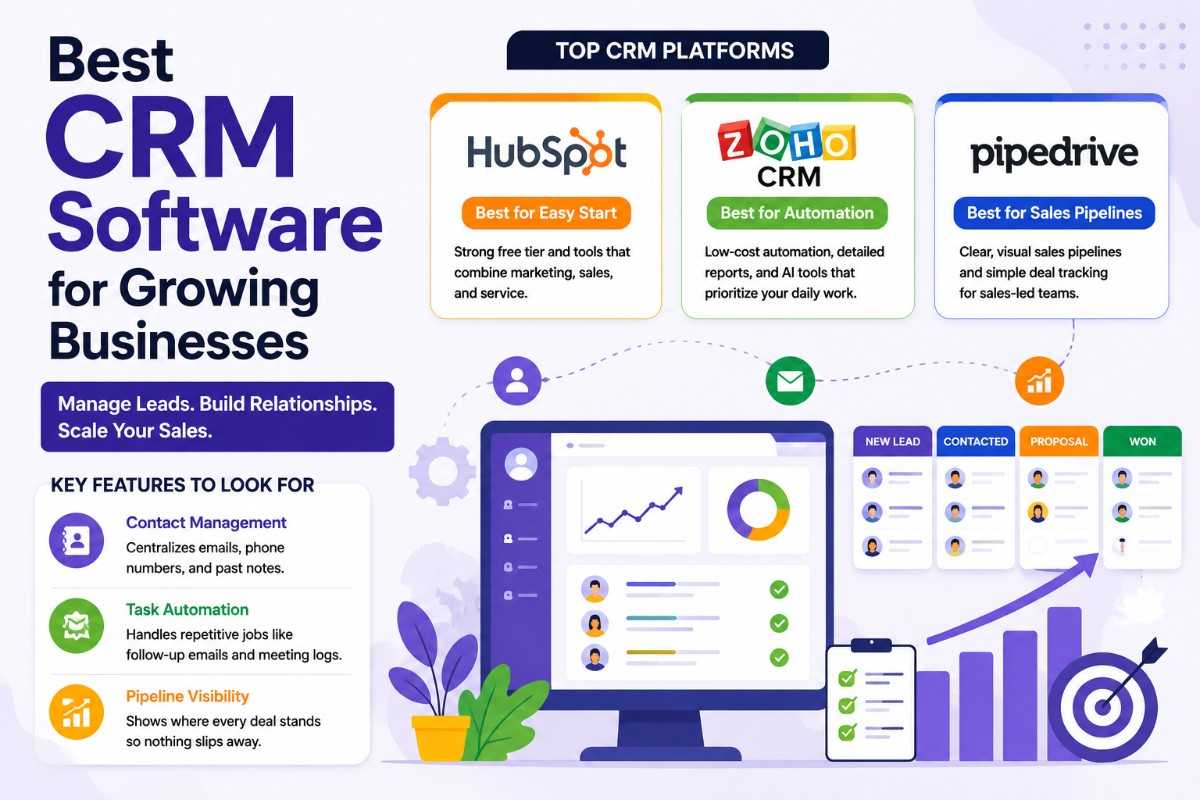
1. HubSpot CRM – Best Overall CRM for Growing Businesses
HubSpot CRM is one of the most popular CRM solutions for businesses of all sizes. It offers a generous free plan and combines CRM functionality with marketing, sales, and customer service tools in a single platform.
Its user-friendly interface makes it easy for beginners to organize contacts, manage deals, schedule meetings, and track customer interactions without extensive training.
As your business grows, HubSpot allows you to add advanced automation, reporting, and marketing features without switching to a different platform.
Key Features
Instead of juggling multiple tools, HubSpot centralizes customer data, email communication, live chat, forms, meeting scheduling, and sales reporting within one dashboard. Its automation features help sales teams spend more time building relationships and less time on repetitive administrative work.
Best For
HubSpot CRM is ideal for businesses looking for an easy-to-use platform with a powerful free version that supports marketing, sales, and customer service in one ecosystem.
2. Zoho CRM – Best Budget-Friendly CRM with Automation
Zoho CRM is an excellent choice for businesses seeking advanced automation without paying premium prices.
The platform offers workflow automation, customizable dashboards, detailed reporting, and AI-powered assistance to help sales teams prioritize important opportunities. It also integrates with a wide range of business applications, making it suitable for businesses that already use multiple software tools.
Its flexibility allows companies to customize their CRM according to their unique sales process while keeping costs relatively low.
Key Features
Zoho CRM includes intelligent workflow automation, AI-powered lead scoring, advanced reporting, sales forecasting, and customizable modules that adapt to different industries and business sizes.
Best For
Zoho CRM is perfect for growing businesses that want affordable automation, detailed analytics, and customizable workflows.
3. Pipedrive – Best CRM for Sales Teams
Pipedrive is designed specifically for businesses that want a simple, visual approach to managing their sales pipeline.
Its drag-and-drop interface allows sales teams to move deals through different stages with ease, making it easy to see where every opportunity stands. This visual pipeline helps sales representatives stay organized and focus on closing deals rather than managing spreadsheets.
Pipedrive also includes activity reminders, email integration, reporting tools, and automation features that reduce repetitive tasks.
Key Features
Pipedrive provides visual sales pipelines, deal tracking, activity management, workflow automation, customizable reports, and integrations with popular business applications.
Best For
Pipedrive is best suited for sales-driven businesses that need a straightforward CRM focused on managing leads and closing deals efficiently.
Key Features to Look for in CRM Software
Choosing the right CRM involves more than comparing prices. The best platform should support your current business needs while remaining flexible enough to grow with your company.
1. Contact Management
A CRM should centralize customer information, including names, phone numbers, email addresses, communication history, and meeting notes.
Having all customer interactions stored in one location allows your team to provide faster, more personalized service while avoiding duplicated work.
2. Task Automation
Automation helps eliminate repetitive administrative tasks such as sending follow-up emails, creating reminders, assigning leads, and updating customer records.
By automating routine activities, your sales team can spend more time building relationships and closing deals.
3. Pipeline Visibility
A clear sales pipeline allows businesses to monitor every opportunity from the first inquiry to the final sale.
Visual pipeline management helps identify stalled deals, prioritize high-value opportunities, and improve sales forecasting.
How to Choose the Right CRM for Your Business
Selecting the best CRM depends on your business goals, team size, and budget.
1. Consider Your Business Size
Small businesses often benefit from simple platforms with intuitive interfaces, while larger teams may require advanced automation, reporting, and collaboration features.
Choosing software that can scale with your business reduces the need to migrate data later.
2. Evaluate Integration Options
Your CRM should integrate with the tools you already use, such as email platforms, accounting software, marketing automation tools, and customer support systems.
Strong integrations improve productivity and reduce manual data entry.
3. Focus on Ease of Use
A CRM should make work easier—not more complicated. Look for software that your team can learn quickly and use consistently without extensive training.
High adoption rates often lead to better results than feature-rich platforms that employees rarely use.
4. Think About Future Growth
Your CRM should support your business as it expands. Features like automation, reporting, team collaboration, and customizable workflows become increasingly valuable as your customer base grows.
CRM Software Comparison
| CRM Software | Best For | Main Strength |
|---|---|---|
| HubSpot CRM | Small and growing businesses | Free CRM with marketing, sales, and service tools |
| Zoho CRM | Budget-conscious businesses | Affordable automation, AI features, and detailed reporting |
| Pipedrive | Sales-focused teams | Visual pipelines and easy deal management |
Benefits of Using CRM Software
A CRM system helps businesses organize customer information, improve sales efficiency, automate repetitive tasks, and strengthen customer relationships. It also provides better visibility into the sales process, making it easier to manage leads, increase conversions, and support long-term business growth.
Frequently Asked Questions
If you’re considering CRM software for the first time, you may have questions about its features, benefits, and which platform is right for your business. Here are answers to some of the most common questions.
What is CRM software used for?
CRM software helps businesses manage customer information, track leads, organize sales activities, automate tasks, and improve communication throughout the customer journey.
Which CRM is best for small businesses?
HubSpot CRM is often the best choice for small businesses because it offers a robust free plan, an easy-to-use interface, and integrated marketing, sales, and customer service tools.
Is CRM software worth it for growing businesses?
Yes. As your customer base grows, CRM software helps organize customer data, improve team collaboration, and automate routine tasks, making it easier to scale your operations.
Can CRM software automate follow-up emails?
Most modern CRM platforms include automation features that can send follow-up emails, schedule reminders, assign tasks, and update customer records automatically.
How do I choose the right CRM?
Consider your business size, budget, required features, integrations, ease of use, and future growth plans before selecting a CRM platform.
Final Thoughts
The right CRM software can transform how your business manages customer relationships and sales. By centralizing customer data, automating repetitive tasks, and providing clear visibility into your sales pipeline, a CRM helps your team work more efficiently while delivering a better customer experience.
For most growing businesses, HubSpot CRM is the best overall choice thanks to its generous free plan and all-in-one platform. Zoho CRM is an excellent option for businesses looking for affordable automation and AI-powered features, while Pipedrive stands out for its simple, visual sales pipeline designed specifically for sales-driven teams.
Choosing a CRM that aligns with your business goals today—and can scale with your growth tomorrow—will set your business up for long-term success.
Ready to Scale Your Business?
Explore our expert guides on business automation, sales strategies, lead generation, digital marketing, and business growth to discover practical tools and strategies that help your business attract more customers and grow faster.