
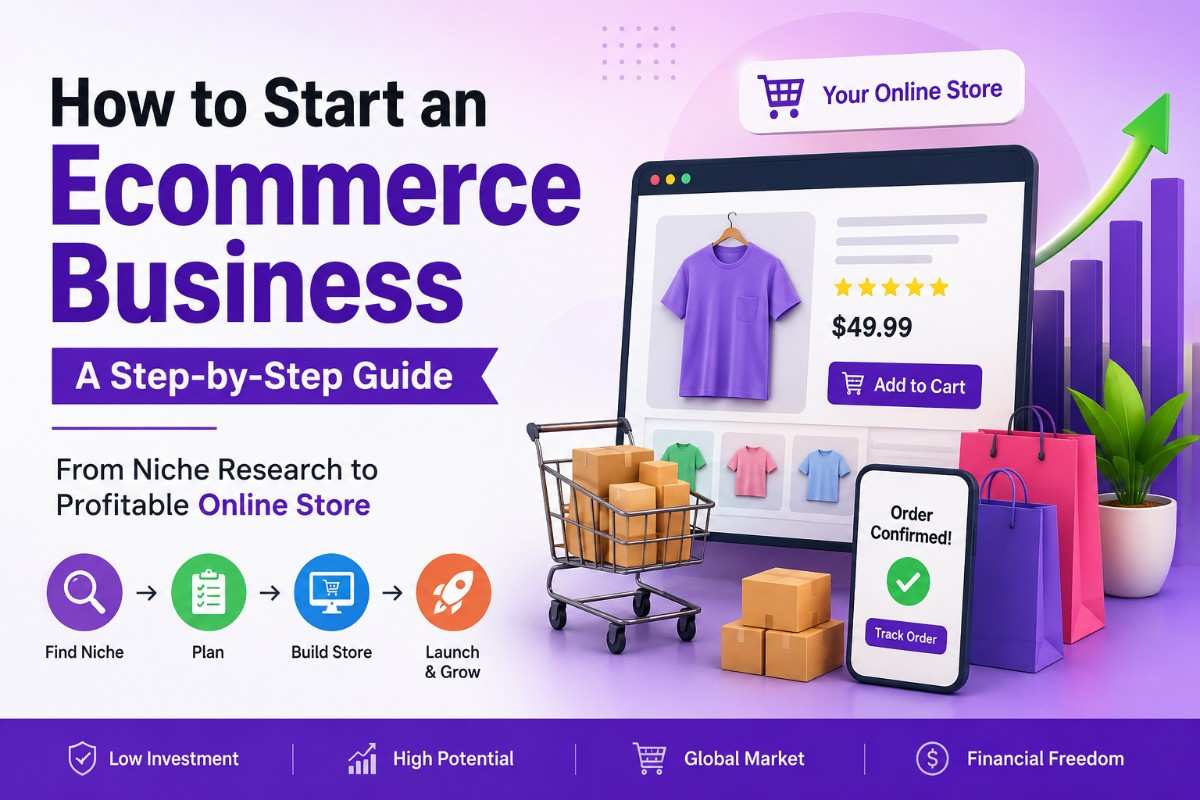
The ecommerce industry has transformed the way people buy and sell products. Today, anyone with a product idea and internet connection can launch an online store and reach customers worldwide. Whether you’re looking to start a side hustle, build a full-time business, or expand an existing retail operation, ecommerce offers a scalable and cost-effective way to generate revenue.
Unlike traditional brick-and-mortar stores, ecommerce businesses can operate 24/7, allowing customers to browse, purchase, and receive products without geographical limitations. As online shopping continues to grow, there has never been a better time to start an ecommerce business.
In this guide, you’ll learn exactly how ecommerce works, the different business models available, how to choose a profitable niche, create a business plan, and build a strong foundation for long-term success.
What Is an Ecommerce Business?
An ecommerce business is any business that buys or sells products and services online. Instead of relying on a physical storefront, transactions take place through websites, online marketplaces, social media platforms, or mobile applications.
🛒 What Is an Ecommerce Business?
An ecommerce business sells products or services online. Customers browse products, make secure online payments, and receive their orders through shipping or digital delivery.
Products
Physical or Digital
Online Store
Website or App
Payment
Secure Checkout
Delivery
Customer Receives Order
✨ Ecommerce in Simple Words
Ecommerce (Electronic Commerce) is the process of buying and selling products or services over the internet through websites, online marketplaces, mobile apps, or social media platforms. It allows businesses to reach customers anywhere in the world while operating 24/7.
Examples of ecommerce businesses include:
- Online clothing stores
- Handmade product shops
- Electronics retailers
- Digital product sellers
- Subscription box services
- Dropshipping stores
Whether selling physical products, digital downloads, or subscription services, ecommerce enables businesses to reach customers across cities, countries, and even continents.
🚀 Ready to Build a Successful Ecommerce Business?
Starting an ecommerce business is just the first step. To build a profitable online store, you need the right business model, marketing strategy, and growth plan. Explore our complete ecommerce resource hub for expert guides, practical tips, and proven strategies.
Explore Ecommerce Business Resources →Learn ecommerce strategies, online selling tips, marketing techniques, and business growth insights—all in one place.
Definition
Ecommerce refers to the process of conducting commercial transactions over the internet. Customers browse products online, make payments digitally, and receive products through shipping or digital delivery.
In simple terms:
Ecommerce = Buying and Selling Products or Services Online
How Ecommerce Works
An ecommerce business follows a straightforward process from customer purchase to product delivery.
Ecommerce Business Workflow
Here’s how the process works:
- A customer visits your online store.
- They browse products and place an order.
- The payment gateway securely processes the payment.
- The order is confirmed and prepared.
- Products are packaged and shipped.
- The customer receives their order.
This automated process allows ecommerce businesses to serve customers efficiently while minimizing operational costs.
🚀 Benefits of Starting an Ecommerce Business
Ecommerce offers entrepreneurs the opportunity to build a scalable business with lower overhead costs, broader market reach, and greater flexibility than traditional retail stores.
Lower Startup Costs
Start an online store without the high expenses associated with renting and maintaining a physical shop.
Global Reach
Sell products to customers across different cities, countries, and continents without geographical limitations.
24/7 Sales
Your online store can generate orders and revenue around the clock, even while you sleep.
Easy Scalability
Expand your product catalog, marketing campaigns, and customer base as your business grows.
Data & Analytics
Track customer behavior, sales performance, and marketing results to make smarter business decisions.
Flexible Business Models
Choose from physical products, digital products, dropshipping, subscriptions, or print-on-demand models.
Different Types of Ecommerce Business Models
Choosing the right ecommerce business model is one of the most important decisions you’ll make. Each model has different customer types, investment requirements, and growth opportunities.
🛒 Different Types of Ecommerce Business Models
The ecommerce model you choose determines who you sell to, how you generate revenue, and the level of investment required to grow your business.
🛍️ B2C
Businesses sell directly to consumers through online stores.
🏭 B2B
Businesses sell products or services to other businesses.
🎯 D2C
Brands sell directly to customers without intermediaries.
👥 C2C
Consumers sell products directly to other consumers.
🔄 Subscription Ecommerce
Customers pay recurring monthly or yearly fees to receive products or services regularly, creating predictable revenue for businesses.
1. B2C (Business-to-Consumer)
B2C ecommerce involves businesses selling products directly to individual consumers.
Examples include:
- Clothing stores
- Beauty brands
- Electronics retailers
- Home décor shops
This is the most common ecommerce model and ideal for new entrepreneurs.
2. B2B (Business-to-Business)
B2B ecommerce focuses on selling products or services to other businesses rather than individual consumers.
Examples include:
- Wholesale suppliers
- Manufacturing companies
- Software providers
- Industrial equipment suppliers
B2B businesses often have larger order values and long-term client relationships.
3. D2C (Direct-to-Consumer)
D2C brands manufacture or source products and sell directly to customers without relying on intermediaries.
Popular benefits include:
- Higher profit margins
- Better customer relationships
- Greater control over branding
Many successful modern ecommerce brands use the D2C model.
4. C2C (Consumer-to-Consumer)
C2C platforms allow individuals to sell products directly to other individuals.
Examples include:
- Second-hand marketplaces
- Auction websites
- Peer-to-peer selling platforms
This model typically requires lower startup investment.
5. Subscription Ecommerce
Subscription ecommerce businesses generate recurring revenue by delivering products regularly.
Examples include:
- Monthly beauty boxes
- Coffee subscriptions
- Meal kits
- Pet supply subscriptions
The biggest advantage of subscription ecommerce is predictable recurring income.
Ecommerce Business Model Comparison
| Model | Best For | Investment | Profit Potential |
|---|---|---|---|
| B2C | Retail Stores | Medium | High |
| B2B | Manufacturers | High | Very High |
| D2C | Brand Owners | Medium | High |
| C2C | Marketplaces | Low | Medium |
| Subscription | Recurring Sales | Medium | High |
Pro Tip: Most first-time entrepreneurs find B2C or D2C ecommerce models easier to launch and scale.
Step 1 – Choose a Profitable Ecommerce Niche
Your niche determines your target audience, marketing strategy, competition level, and profitability. Choosing the right niche can significantly improve your chances of success.
🎯 Formula for Choosing a Profitable Ecommerce Niche
The most successful ecommerce niches sit at the intersection of demand, profitability, and your ability to reach the right audience.
People actively searching for the product
Enough profit after all expenses
A clearly defined customer group
✅ Quick Niche Validation Checklist
- Is there consistent demand for the product?
- Can you earn a healthy profit margin?
- Is the target audience easy to identify?
- Can you compete with existing sellers?
- Are people already buying similar products online?
- Can the niche grow in the future?
How to Find Product Ideas
Start by identifying products that solve real customer problems or fulfill specific needs.
Sources for product ideas include:
- Personal interests and hobbies
- Social media trends
- Online marketplaces
- Customer pain points
- Emerging industries
- Seasonal opportunities
Look for products with consistent demand rather than short-term trends.
Market Research Methods
Before investing money, validate your niche using research.
Analyze Search Demand
Check whether people are actively searching for your products online.
Study Competitors
Review competing stores to understand:
- Product offerings
- Pricing strategies
- Customer reviews
- Marketing approaches
Explore Online Communities
Forums, Facebook groups, and Reddit communities often reveal customer frustrations and unmet needs.
Evaluate Market Size
Ensure your niche is large enough to support long-term growth while remaining specific enough to target effectively.
Validate Demand Before Investing
Many ecommerce businesses fail because they purchase inventory before confirming demand.
Use these validation techniques:
- Create a landing page
- Run small advertising campaigns
- Collect email signups
- Survey potential customers
- Offer pre-orders
- Test products on marketplaces
Validation helps reduce risk and increases confidence before launching.
Step 2 – Create an Ecommerce Business Plan
A business plan serves as your roadmap and helps guide important decisions as your store grows.
📋 Ecommerce Business Plan Blueprint
A well-structured business plan helps you stay focused, manage your budget, and create a clear roadmap for growing your ecommerce business.
Define revenue and growth targets
Identify your ideal customers
Estimate startup and marketing costs
Plan how your business will make money
✅ Ecommerce Business Plan Checklist
1. Business Goals
Define clear and measurable goals such as:
- Monthly revenue targets
- Number of customers acquired
- Product launch timelines
- Profit objectives
Specific goals make it easier to track progress and improve performance.
2. Target Audience
Identify your ideal customer by understanding:
- Age
- Gender
- Location
- Income level
- Interests
- Shopping behavior
- Pain points
The better you understand your audience, the more effective your marketing will be.
3. Budget Planning
Calculate expected startup expenses, including:
- Domain registration
- Website hosting
- Ecommerce platform fees
- Product sourcing
- Packaging materials
- Marketing costs
- Shipping expenses
Having a realistic budget prevents cash flow issues during the launch phase.
4. Revenue Model
Determine how your business will generate income.
Common ecommerce revenue models include:
- Product sales
- Subscription plans
- Membership programs
- Wholesale sales
- Digital products
- Affiliate partnerships
Your revenue model should align with your niche and long-term growth goals.
Step 3 – Decide What Products to Sell
Choosing the right products is one of the most important decisions when starting an ecommerce business. Even the best-designed online store can struggle if there’s little demand for the products being sold.
Before investing time and money, consider your target audience, market demand, competition level, profit margins, and fulfillment requirements.
The good news is that ecommerce businesses can sell much more than physical goods. Today’s entrepreneurs have several business models to choose from depending on their goals and budget.
🛍️ Choose the Right Ecommerce Product Model
The products you sell will determine your startup costs, profit margins, fulfillment process, and long-term growth potential. Choose a model that matches your budget, skills, and business goals.
Physical Products
Sell tangible products such as clothing, electronics, jewelry, beauty products, home décor, or pet supplies.
Digital Products
Sell ebooks, templates, online courses, software, stock photos, printables, or digital downloads.
Print-on-Demand
Create custom designs for T-shirts, mugs, posters, phone cases, and other products without holding inventory.
Dropshipping
Sell products without stocking inventory. Suppliers handle storage, packaging, and shipping.
📊 Product Model Comparison
| Model | Startup Cost | Inventory Needed | Profit Potential |
|---|---|---|---|
| Physical Products | Medium–High | Yes | High |
| Digital Products | Low | No | Very High |
| Print-on-Demand | Low | No | Medium |
| Dropshipping | Low | No | Medium–High |
1. Physical Products
Physical products are tangible items that require inventory management, packaging, and shipping.
Examples include:
- Clothing and fashion accessories
- Jewelry
- Home décor
- Electronics
- Beauty products
- Pet supplies
- Fitness equipment
Advantages of Selling Physical Products
- Large number of product categories available
- Customers are familiar with purchasing physical goods online
- Strong opportunities for repeat purchases
- Easier to build a recognizable brand
Challenges
- Inventory costs
- Shipping and fulfillment expenses
- Product returns and exchanges
- Storage requirements
Physical products remain one of the most popular ecommerce business models because of their scalability and market demand.
2. Digital Products
Digital products are downloadable or accessible online without physical shipping.
Examples include:
- Ebooks
- Online courses
- Templates
- Software
- Printables
- Stock photography
- Membership content
Advantages of Selling Digital Products
- No inventory management
- No shipping costs
- High profit margins
- Instant delivery
- Easy scalability
Challenges
- Requires expertise or content creation
- Competitive marketplaces
- Potential piracy concerns
Many entrepreneurs choose digital products because they can generate passive income with minimal ongoing costs.
3. Print-on-Demand
Print-on-demand (POD) allows you to sell customized products without purchasing inventory upfront.
Products are printed and shipped only after customers place orders.
Popular POD products include:
- T-shirts
- Hoodies
- Mugs
- Phone cases
- Tote bags
- Posters
Advantages
- Low startup costs
- No inventory storage
- Easy product testing
- Minimal financial risk
Challenges
- Lower profit margins
- Limited quality control
- Longer shipping times
Print-on-demand is ideal for creators, influencers, and entrepreneurs looking to launch a branded product line without large investments.
4. Dropshipping
Dropshipping is an ecommerce business model where suppliers store and ship products directly to customers on your behalf.
You focus on:
- Building the website
- Marketing products
- Customer support
The supplier handles inventory and fulfillment.
Advantages
- Low startup investment
- No inventory management
- Large product selection
- Easy to launch quickly
Challenges
- Lower profit margins
- Dependence on suppliers
- Less control over shipping and product quality
- Increased competition
Dropshipping is often recommended for beginners because it reduces the financial risks associated with purchasing inventory.
Which Product Model Is Best?
For most beginners:
- Dropshipping offers the easiest entry point.
- Print-on-Demand is excellent for building a brand.
- Digital Products provide the highest profit margins.
- Physical Products offer the most long-term scalability and branding opportunities.
The best choice depends on your budget, skills, and business goals.
Step 4 – Register Your Business and Brand
Once you’ve chosen your products, it’s time to establish your business legally and create a strong brand identity.
A professional business setup builds customer trust and prepares your store for future growth.
🚀 Build a Strong Business & Brand Foundation
Before launching your ecommerce store, make sure your business is legally registered and your brand identity is established. A professional brand builds trust and helps customers remember your business.
🏢 Business Name
Choose a memorable, easy-to-spell name that reflects your products and brand values. Check availability before finalizing.
🌐 Domain Name
Secure a domain name that matches your business name whenever possible to strengthen brand recognition.
📄 Legal Requirements
Register your business according to local laws and obtain any licenses required for your industry.
💰 GST & Tax Setup
Understand tax obligations, GST registration requirements, invoicing rules, and compliance requirements.
✅ Business Registration Checklist
1. Business Name
Your business name is one of your most valuable assets. It should be:
- Easy to remember
- Easy to spell
- Relevant to your niche
- Unique from competitors
- Suitable for future expansion
Tips for Choosing a Business Name
- Keep it short and simple
- Avoid complicated spellings
- Check trademark availability
- Verify social media username availability
- Ensure a matching domain name is available
A strong business name helps customers remember your brand and improves marketing effectiveness.
2. Domain Name
Your domain name is your website’s online address.
Examples:
- yourbrand.com
- yourstore.in
- yourbusiness.co
Domain Name Best Practices
- Prefer .com when available
- Keep it under 15 characters if possible
- Avoid numbers and hyphens
- Make it easy to pronounce
- Match your brand name
A professional domain creates credibility and improves brand recognition.
3. Legal Requirements
Legal requirements vary by country and region, but most ecommerce businesses should consider:
- Business registration
- Trade licenses
- Trademark protection
- Privacy policy compliance
- Terms and conditions
- Consumer protection regulations
Operating legally protects both your business and your customers.
Common Business Structures
| Structure | Best For |
|---|---|
| Sole Proprietorship | Individuals starting small |
| Partnership | Two or more founders |
| LLP | Small businesses needing liability protection |
| Private Limited Company | Growing ecommerce brands |
Consult a qualified accountant or legal professional to determine the best structure for your situation.
4. GST and Tax Considerations
Tax compliance is a critical part of running an ecommerce business.
Depending on your location and sales volume, you may need:
- GST registration
- Sales tax registration
- Business tax filings
- Invoice management systems
Why Tax Planning Matters
Proper tax compliance helps:
- Avoid penalties
- Build business credibility
- Simplify accounting
- Support long-term growth
Keep accurate records of:
- Revenue
- Expenses
- Inventory purchases
- Advertising costs
- Shipping expenses
Using accounting software from the beginning can save significant time later.
Step 5 – Build Your Ecommerce Website
Your website is the foundation of your ecommerce business. It serves as your storefront, sales representative, and customer service center all in one.
A well-designed ecommerce website improves user experience, builds trust, and increases conversions.
🌐 Build Your Ecommerce Website
Your ecommerce website is the foundation of your online business. The right platform, design, and pages can improve trust, user experience, and sales.
🛒 Popular Ecommerce Platforms
Shopify
Easy-to-use hosted platform with built-in ecommerce features.
WooCommerce
Flexible WordPress solution with complete customization.
BigCommerce
Powerful platform designed for scaling online stores.
Wix
Drag-and-drop website builder with ecommerce functionality.
📄 Essential Ecommerce Pages
✅ Website Launch Checklist
Choose an Ecommerce Platform
An ecommerce platform provides the tools needed to create and manage your online store.
Several platforms are popular among business owners, each offering unique advantages.
1. Shopify
Shopify is one of the most beginner-friendly ecommerce platforms available.
Best For: New and growing ecommerce businesses
Advantages:
- Easy setup
- Secure hosting
- Large app ecosystem
- Built-in ecommerce features
Potential Drawback:
- Monthly subscription costs
2. WooCommerce
WooCommerce is a WordPress-based ecommerce solution.
Best For: Businesses wanting maximum customization
Advantages:
- Highly flexible
- SEO-friendly
- Extensive plugin options
- Full ownership of website
Potential Drawback:
- Requires more technical management
3. BigCommerce
BigCommerce offers enterprise-level ecommerce functionality.
Best For: Fast-growing online stores
Advantages:
- Advanced built-in features
- Strong scalability
- Multi-channel selling support
Potential Drawback:
- Learning curve for beginners
4. Wix
Wix provides drag-and-drop website creation with ecommerce capabilities.
Best For: Small businesses and beginners
Advantages:
- Easy website builder
- Attractive templates
- Affordable plans
Potential Drawback:
- Less flexibility compared to Shopify or WooCommerce
Ecommerce Platform Comparison
| Platform | Ease of Use | SEO Features | Scalability | Best For |
|---|---|---|---|---|
| Shopify | Excellent | Good | High | Beginners |
| WooCommerce | Moderate | Excellent | High | Customization |
| BigCommerce | Good | Very Good | Very High | Growing Brands |
| Wix | Excellent | Good | Medium | Small Businesses |
Essential Pages Every Ecommerce Website Needs
A successful ecommerce website requires more than just product pages.
1. Home Page
Your homepage introduces your brand and highlights your key products, offers, and value proposition.
2. Shop Page
Displays all available products and allows customers to browse categories easily.
3. Product Page
Each product page should include:
- High-quality images
- Detailed descriptions
- Pricing information
- Reviews
- Clear call-to-action buttons
4. About Page
Tell your brand story, mission, and values to build customer trust.
5. Contact Page
Provide customers with easy ways to reach your business.
Include:
- Contact form
- Email address
- Phone number (if applicable)
6. Privacy Policy
Explains how customer information is collected, stored, and used.
7. Shipping Policy
Provides information about:
- Delivery timelines
- Shipping costs
- Order tracking
- Return conditions
Having these pages improves user experience, increases trust, and supports legal compliance while helping convert visitors into customers.
Step 6 – Set Up Payments and Shipping
Once your ecommerce website is ready, the next step is setting up secure payment processing and reliable shipping operations. These two elements directly impact customer trust, conversion rates, and overall shopping experience.
A smooth checkout process and timely delivery can encourage repeat purchases, while payment issues or shipping delays can lead to abandoned carts and negative reviews.
Let’s look at how to set up your ecommerce store for seamless transactions and order fulfillment.
💳 Set Up Payments & Shipping
A smooth payment and shipping process is essential for customer satisfaction. The easier it is for customers to pay and receive their orders, the higher your conversion rate and repeat purchases will be.
💰 Popular Payment Gateway Options
💳 Razorpay
Supports cards, UPI, net banking, wallets, and recurring payments.
💵 PayPal
Popular choice for accepting international payments.
🏦 Stripe
Developer-friendly gateway with global payment support.
📱 UPI Payments
Fast, secure, and widely used payment method in India.
🚚 Common Shipping Methods
Cost-effective delivery option for most ecommerce stores.
Faster delivery for customers willing to pay extra.
Encourages higher conversions and larger order values.
Customers collect orders directly from your location.
✅ Payments & Shipping Checklist
1. Payment Gateways
A payment gateway is a technology that securely processes online payments between customers and your business. It acts as a bridge between your website, the customer’s bank, and your merchant account.
When a customer places an order, the payment gateway encrypts sensitive financial information and verifies the transaction before approving the payment.
Popular Payment Gateway Options
Some of the most commonly used payment gateways include:
- Stripe
- PayPal
- Razorpay
- PayU
- Square
- Authorize.net
The right payment gateway depends on your business location, target audience, transaction fees, and supported payment methods.
Features to Look for in a Payment Gateway
Before choosing a provider, consider the following factors:
Security
Look for PCI-compliant gateways that offer fraud detection and secure encryption.
Multiple Payment Methods
Customers should be able to pay using:
- Credit cards
- Debit cards
- UPI
- Net banking
- Digital wallets
- Buy Now Pay Later (BNPL) options
Transaction Fees
Compare setup costs, monthly fees, and per-transaction charges.
Fast Settlement
Choose gateways that transfer funds quickly to improve cash flow.
Mobile-Friendly Checkout
A seamless mobile checkout experience is essential since a significant portion of ecommerce purchases occur on smartphones.
Best Practices for Ecommerce Payments
- Offer multiple payment options
- Display security badges
- Enable guest checkout
- Minimize checkout steps
- Use SSL certificates
- Test payment functionality regularly
A streamlined checkout process can significantly improve conversion rates and reduce cart abandonment.
2. Shipping Methods
Shipping plays a crucial role in customer satisfaction. Fast, affordable, and transparent delivery options can help your business stand out from competitors.
Standard Shipping
Standard shipping is the most common delivery method and typically offers the lowest shipping cost.
Best For:
- Everyday products
- Cost-conscious customers
Express Shipping
Express shipping delivers orders faster than standard options.
Best For:
- Urgent purchases
- Premium customer experiences
Free Shipping
Many successful ecommerce businesses offer free shipping to increase conversions.
Free shipping can be funded through:
- Higher product pricing
- Minimum order value requirements
- Membership programs
International Shipping
If you plan to sell globally, ensure your shipping strategy accounts for:
- Customs duties
- Import taxes
- Delivery timeframes
- International logistics costs
Local Delivery
Businesses serving specific regions may offer same-day or next-day local delivery.
This is especially popular for:
- Food products
- Groceries
- Flower delivery
- Local retail stores
Choosing the Right Shipping Partner
Consider these factors when selecting a logistics provider:
- Delivery speed
- Coverage areas
- Shipping costs
- Tracking capabilities
- Customer support
- Return handling process
Reliable shipping partners help improve customer satisfaction and reduce delivery-related complaints.
Shipping Strategy Tips
- Display estimated delivery dates
- Provide order tracking
- Offer multiple shipping options
- Communicate delays proactively
- Simplify the return process
Customers value transparency throughout the delivery journey.
Order Fulfillment Process
Order fulfillment refers to the complete process of receiving, processing, packing, shipping, and delivering customer orders.
Efficient fulfillment ensures customers receive products accurately and on time.
What Happens After an Order Is Placed?
The order fulfillment process generally follows these steps:
- Customer places an order.
- Payment is verified.
- Inventory availability is confirmed.
- Products are picked and packed.
- The shipment is handed to a delivery partner.
- The customer receives the order.
Ecommerce Order Fulfillment Workflow
Types of Order Fulfillment
Self-Fulfillment
You store inventory and handle packing and shipping yourself.
Best For:
- Small businesses
- New ecommerce stores
Third-Party Fulfillment (3PL)
A fulfillment company stores inventory and ships orders on your behalf.
Best For:
- Growing ecommerce brands
- High-order-volume stores
Dropshipping Fulfillment
Suppliers handle inventory storage and shipping directly to customers.
Best For:
- Low-investment ecommerce businesses
- Beginners
Fulfillment Best Practices
- Maintain accurate inventory records
- Automate order notifications
- Use barcode tracking systems
- Package products securely
- Monitor delivery performance
- Review fulfillment metrics regularly
A reliable fulfillment system improves customer experience and helps scale your ecommerce business more efficiently.
Key Takeaway
Setting up secure payments and dependable shipping is essential for ecommerce success. Customers expect a fast, safe, and hassle-free buying experience. By offering trusted payment methods, flexible shipping options, and efficient order fulfillment, you’ll build customer confidence, increase conversions, and create a strong foundation for long-term business growth.
Step 7 – Optimize Product Pages for Conversions
Getting visitors to your ecommerce website is only half the battle. The real challenge is converting those visitors into paying customers. A well-optimized product page can significantly increase conversion rates, reduce cart abandonment, and improve customer trust.
Every product page should provide the information shoppers need to make a buying decision quickly and confidently.
🎯 Optimize Product Pages for More Conversions
Your product page is where visitors decide whether to buy or leave. Optimizing key elements can significantly increase trust, engagement, and sales.
Product Images
Use high-resolution images from multiple angles. Include zoom functionality and lifestyle photos whenever possible.
Product Descriptions
Focus on benefits, features, specifications, and solutions to customer problems rather than just listing details.
Customer Reviews
Positive reviews and ratings provide social proof and increase buyer confidence before purchase.
Trust Badges
Display secure payment icons, money-back guarantees, SSL certificates, and shipping assurances.
✅ Product Page Conversion Checklist
Product Images
Product images are often the first thing customers notice. Since shoppers can’t physically touch or inspect products online, high-quality visuals play a crucial role in driving sales.
Best Practices for Product Images
- Use high-resolution images
- Show products from multiple angles
- Include zoom functionality
- Display lifestyle images
- Use consistent backgrounds
- Optimize images for fast loading
Products with professional images typically generate higher engagement and conversion rates.
Product Descriptions
A product description should do more than list features—it should explain how the product solves a problem or improves the customer’s life.
What to Include
- Key features
- Benefits
- Materials or specifications
- Size and dimensions
- Usage instructions
- Shipping information
Example
Instead of writing:
❌ “Made from stainless steel.”
Write:
✅ “Crafted from durable stainless steel for long-lasting performance and resistance to rust.”
Focus on benefits rather than simply listing features.
Customer Reviews
Reviews provide social proof and help build trust with potential buyers.
Why Reviews Matter
- Increase credibility
- Reduce purchase hesitation
- Improve conversion rates
- Provide user-generated content
- Enhance SEO through fresh content
Encourage customers to leave reviews after receiving their orders.
Trust Badges
Trust badges reassure customers that your website is safe and legitimate.
Common trust signals include:
- Secure payment icons
- SSL certificates
- Money-back guarantees
- Free shipping badges
- Verified customer reviews
- Return policy highlights
Displaying trust badges near the Add to Cart button can improve conversion rates.
Product Page Conversion Checklist
Before publishing any product page, ensure you have:
- High-quality product images
- Clear product title
- Benefit-driven product description
- Competitive pricing
- Customer reviews
- Trust badges
- Mobile-friendly design
- Fast loading speed
- Easy checkout process
- Clear call-to-action button
The better your product pages perform, the more revenue your ecommerce business can generate without increasing advertising costs.
Step 8 – Launch Your Ecommerce Store
Launching your store is an exciting milestone, but successful ecommerce businesses don’t simply go live and hope for sales. A structured launch strategy can help you identify issues, gather feedback, and generate your first customers.
🚀 Ecommerce Store Launch Roadmap
1. Pre-Launch
Test website functionality, payment gateways, shipping settings, mobile responsiveness, and analytics tracking.
2. Soft Launch
Invite friends, family, and a small audience to test your store and provide valuable feedback.
3. Marketing Launch
Promote your store using social media, email marketing, influencers, and paid advertising.
4. Optimize & Scale
Track sales, gather customer feedback, improve conversions, and scale successful campaigns.
1. Pre-Launch Checklist
Before opening your store to the public, verify that everything functions correctly.
Website Checklist
- Test all website pages
- Check mobile responsiveness
- Verify payment gateways
- Test checkout process
- Review product descriptions
- Optimize page speed
- Configure analytics tracking
- Install SSL certificate
Business Checklist
- Finalize shipping settings
- Create customer support channels
- Prepare marketing materials
- Set up social media accounts
Completing these tasks reduces the chances of technical issues after launch.
2. Soft Launch
A soft launch involves releasing your store to a small audience before a full public launch.
You can invite:
- Friends and family
- Existing customers
- Email subscribers
- Social media followers
Benefits of a Soft Launch
- Identify website issues
- Gather customer feedback
- Test checkout functionality
- Improve user experience
- Generate initial reviews
A soft launch allows you to fix problems before investing heavily in marketing.
3. First Marketing Campaign
Once your store is ready, launch your first promotional campaign.
Popular launch strategies include:
- Social media announcements
- Email marketing campaigns
- Influencer collaborations
- Limited-time discounts
- Giveaways
- Paid advertising
Focus on driving targeted traffic rather than attracting random visitors.
Your first goal should be validating your products and generating initial sales.
Step 9 – Promote Your Ecommerce Business
Building a store is only the beginning. Without marketing, even the best ecommerce website may struggle to attract customers.
Successful ecommerce businesses use multiple marketing channels to drive traffic, generate sales, and build brand awareness.
📈 Ecommerce Marketing Channels
Use multiple traffic sources to attract visitors, generate sales, and grow your ecommerce business.
SEO
Generate long-term organic traffic from search engines and reduce advertising costs.
Content Marketing
Publish blogs, guides, videos, and tutorials to attract and educate potential customers.
Email Marketing
Nurture leads, recover abandoned carts, and increase repeat purchases.
Social Media
Build brand awareness and engage directly with customers on social platforms.
Google Ads
Reach customers actively searching for products with high purchase intent.
Facebook Ads
Target specific audiences and scale sales through Facebook and Instagram advertising.
Traffic + Conversion Optimization + Customer Retention = Ecommerce Growth
1. SEO (Search Engine Optimization)
SEO helps your website appear in search engine results when potential customers search for products related to your niche.
Ecommerce SEO Strategies
- Keyword research
- Product page optimization
- Category page optimization
- Internal linking
- Technical SEO
- Link building
- Blogging
SEO is one of the most cost-effective long-term marketing strategies because it generates organic traffic without paying for every click.
2. Content Marketing
Content marketing involves creating valuable content that attracts potential customers.
Examples include:
- Blog posts
- Buying guides
- Product comparisons
- Tutorials
- Videos
- Infographics
Content marketing helps establish authority while supporting your SEO efforts.
Content Ideas
- How-to guides
- Product care tips
- Industry trends
- Customer success stories
- Product comparison articles
Businesses that consistently publish useful content often generate more organic traffic and customer trust.
3. Email Marketing
Email marketing remains one of the highest-ROI marketing channels available.
Benefits include:
- Direct customer communication
- Repeat purchases
- Cart recovery
- Customer retention
- Product launch announcements
Essential Ecommerce Email Campaigns
- Welcome emails
- Abandoned cart emails
- Promotional campaigns
- Product recommendations
- Customer retention emails
Building an email list should begin from day one.
4. Social Media Marketing
Social media helps brands build communities and engage directly with customers.
Popular platforms include:
- TikTok
- YouTube
Effective Social Media Content
- Product showcases
- Behind-the-scenes content
- Customer testimonials
- Educational posts
- User-generated content
Consistency is more important than posting frequency.
5. Google Ads
Google Ads helps you appear at the top of search results immediately.
Benefits
- Fast traffic generation
- Highly targeted visitors
- Scalable campaigns
- Measurable results
Google Ads works particularly well for products with strong buying intent.
6. Facebook Ads
Facebook and Instagram Ads provide powerful audience targeting options.
Benefits
- Detailed demographic targeting
- Retargeting capabilities
- Visual product promotion
- Brand awareness campaigns
Facebook Ads can be especially effective for new ecommerce stores looking to build visibility quickly.
Why Marketing Matters
Many ecommerce beginners focus entirely on building their website and neglect marketing.
In reality:
Traffic + Conversions + Customer Retention = Ecommerce Growth
A comprehensive marketing strategy often determines whether an ecommerce store succeeds or fails.
Common Ecommerce Mistakes to Avoid
Even promising ecommerce businesses can struggle if they make avoidable mistakes early on.
⚠️ Common Ecommerce Mistakes to Avoid
Avoid these common mistakes that cause many new ecommerce businesses to struggle or fail.
Wrong Niche
Choosing products without validating market demand can lead to poor sales and wasted investment.
Ignoring SEO
Relying only on paid ads limits growth. SEO helps generate consistent organic traffic.
Poor Product Images
Low-quality images reduce trust and make it harder for customers to buy confidently.
No Email List
Failing to collect emails means losing opportunities for repeat sales and customer retention.
Weak Customer Service
Slow responses and poor support can damage your reputation and reduce repeat purchases.
Choosing the Wrong Niche
Many entrepreneurs select products based on personal preferences rather than market demand.
Always validate demand before investing heavily.
Ignoring SEO
Without SEO, your store may depend entirely on paid advertising.
Organic search traffic can become one of your most valuable customer acquisition channels.
Poor Product Images
Low-quality images reduce trust and hurt conversion rates.
Investing in professional product photography often pays for itself through increased sales.
No Email List
Many businesses focus solely on social media while ignoring email marketing.
An email list provides direct access to customers and reduces dependence on third-party platforms.
Weak Customer Service
Slow responses and poor support can damage your reputation and reduce repeat purchases.
Excellent customer service is often a competitive advantage.
Ecommerce Startup Costs Breakdown
Startup costs vary depending on your business model, products, and marketing strategy.
| Expense | Estimated Cost |
|---|---|
| Domain | Low |
| Hosting | Low–Medium |
| Website Design | Medium |
| Marketing | Medium–High |
| Inventory | Varies |
| Shipping Materials | Low–Medium |
Typical Ecommerce Budget Considerations
- Platform subscriptions
- Product sourcing
- Branding
- Photography
- Marketing campaigns
- Packaging supplies
- Business registration
Starting small and reinvesting profits is often the safest approach for new entrepreneurs.
Ecommerce Business Launch Timeline
Many people believe launching an ecommerce business takes months. In reality, a simple store can be launched within 30 days when following a structured plan.
Week 1: Research & Planning
Focus on:
- Choosing a niche
- Competitor research
- Product selection
- Business planning
Week 2: Store Setup
Focus on:
- Domain registration
- Website design
- Platform setup
- Payment integration
Week 3: Product Listings
Focus on:
- Product photography
- Product descriptions
- Pricing
- Category organization
Week 4: Launch & Marketing
Focus on:
- Testing the website
- Soft launch
- Marketing campaigns
- Customer acquisition
30-Day Ecommerce Launch Plan
| Week | Primary Goal |
| Week 1 | Research & Planning |
| Week 2 | Store Setup |
| Week 3 | Product Listings |
| Week 4 | Launch & Marketing |
Following a structured timeline prevents overwhelm and helps you move from idea to launch much faster.
Frequently Asked Questions
How much money do I need to start an ecommerce business?
You can start an ecommerce business with as little as $100–$500 if you use dropshipping or print-on-demand. A traditional ecommerce store with inventory, branding, and marketing may require $1,000–$10,000 or more. Your startup cost depends on the products you sell, platform fees, and marketing budget.
Can I start an ecommerce business without inventory?
Yes, you can start an ecommerce business without inventory through dropshipping, print-on-demand, or digital products. These business models allow suppliers or service providers to handle inventory storage and fulfillment, reducing upfront costs and financial risk.
Is dropshipping profitable?
Yes, dropshipping can be profitable when you choose high-demand products, target the right audience, and use effective marketing strategies. While profit margins are generally lower than traditional ecommerce, dropshipping requires less investment and allows entrepreneurs to test products with minimal risk.
How long does it take to get sales in ecommerce?
Some ecommerce stores generate sales within days, while others may take weeks or months. Factors such as product demand, competition, pricing, website quality, SEO, and advertising efforts influence how quickly you attract customers and generate revenue.
Which ecommerce platform is best for beginners?
Shopify is widely considered the best ecommerce platform for beginners because it is easy to use, secure, and includes built-in ecommerce features. WooCommerce is a great alternative for users who want more customization and already use WordPress.
What are the most profitable ecommerce products to sell?
The most profitable ecommerce products often include beauty products, jewelry, home décor, fitness accessories, pet products, digital products, and subscription-based items. Products with strong demand, healthy profit margins, and repeat purchase potential tend to perform best.
Do I need a business license to start an ecommerce business?
In many locations, you may need business registration, tax registration, or specific licenses depending on your products and business structure. Requirements vary by country, state, and industry, so it’s important to check local regulations before launching your store.
Is ecommerce still profitable in 2026?
Yes, ecommerce remains profitable because online shopping continues to grow worldwide. Businesses that focus on customer experience, SEO, branding, and effective marketing can still build successful and scalable ecommerce stores in competitive markets.
How do ecommerce businesses make money?
Ecommerce businesses make money by selling physical products, digital products, subscriptions, memberships, or services online. Profit is generated when the selling price exceeds expenses such as product costs, shipping, advertising, and operational expenses.
What is the biggest challenge when starting an ecommerce business?
The biggest challenge is attracting consistent traffic and converting visitors into customers. Many new store owners focus on website design but underestimate the importance of marketing, SEO, customer retention, and building trust with potential buyers.
Can I run an ecommerce business from home?
Yes, many ecommerce businesses are operated entirely from home. Entrepreneurs can manage products, customer service, marketing, and order fulfillment remotely, making ecommerce one of the most accessible business models for beginners.
How can I get my first ecommerce sale?
To get your first ecommerce sale, focus on promoting your products through social media, SEO, email marketing, influencer partnerships, and paid advertising. Offering launch discounts, collecting reviews, and optimizing product pages can also help increase conversions.
Final Thoughts
Starting an ecommerce business may seem overwhelming at first, but the most successful online entrepreneurs don’t wait for everything to be perfect—they launch, learn, and improve along the way.
Instead of spending months trying to create the perfect online store, focus on getting your business live as quickly as possible. A real store with real customers will teach you far more than endless planning ever can. Once your store is launched, pay close attention to customer feedback, purchasing behavior, and product performance. These insights will help you improve your website, refine your offerings, and create a better shopping experience.
Remember that building an ecommerce business is not just about launching a website—it’s about consistently attracting and retaining customers. Investing in SEO and content marketing can help you generate sustainable organic traffic, while email marketing allows you to nurture relationships and increase repeat purchases. As your revenue grows, you can scale faster by using paid advertising channels such as Google Ads and Facebook Ads to reach new audiences.
The ecommerce industry continues to create opportunities for entrepreneurs willing to take action. Whether you’re launching a small side business or building the next major online brand, the key is to start, stay consistent, and keep optimizing based on data and customer feedback.
If you’re looking for more practical business growth strategies, marketing guides, and step-by-step tutorials, explore the resources available on Grow Business Lab. Our goal is to help entrepreneurs build profitable online businesses through proven digital marketing, SEO, and business growth strategies.
Your ecommerce journey starts with a single step—launch your store, learn from your customers, and keep growing.
Ready to Grow Your Ecommerce Business?
Launching your store is just the beginning. Learn proven strategies for SEO, content marketing, paid advertising, and business growth with expert guides from Grow Business Lab.
Learn How to Grow Your Business →